Skype8.150
Publisher Description
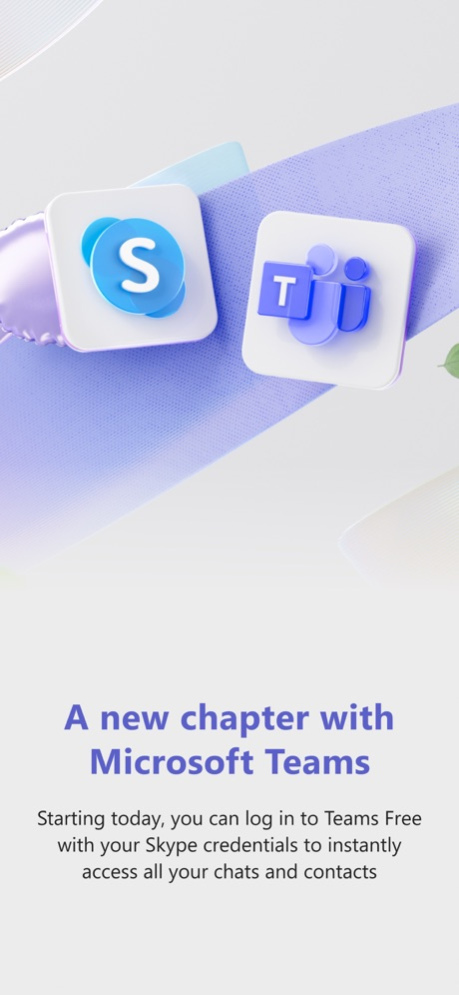
Skype is retiring in May 2025. Log in to Microsoft Teams Free with your Skype account, and your chats and contacts will be ready for you. Enjoy the features you love about Skype and more including free calling, meetings, messaging, calendar, communities, and more - all on Teams.
Thank you for being a part of the Skype community. We’re excited about the opportunities ahead with Microsoft Teams and look forward to continuing to support your everyday connections in new and improved ways.
With gratitude,
The Skype team
• Privacy and Cookies policy: https://go.microsoft.com/fwlink/?LinkID=507539
• Microsoft Services Agreement: https://go.microsoft.com/fwlink/?LinkID=530144
• EU Contract Summary: https://go.skype.com/eu.contract.summary
• Consumer Health Data Privacy Policy: https://go.microsoft.com/fwlink/?linkid=2259814
Access Permissions:
All permissions are optional and require consent (you can continue using Skype without granting these permissions, but certain features may not be available).
• Contacts - Skype can sync and upload your device contacts to Microsoft's servers so that you can easily find and connect with your contacts that already use Skype.
• Microphone - The microphone is needed for people to hear you during audio or video calls or for you to record audio messages.
• Camera - The camera is needed for people to see you during video calls, or for you to be able to take photos or videos whilst you’re using Skype.
• Location - You can share your location with other users or use your location to help find relevant places near you.
• Photo Library - Storage is needed to be able to store photos or to share your photos with others you may chat with.
• Notifications - Notifications allow users to know when messages or calls are received even when Skype is not actively being used.
• Siri - This allows Siri to make calls in Skype.
• Calendar - Access to the calendar is so that calls can be scheduled and added to the calendar.
• Motion Usage - Motion usage is used so that Skype can detect when your device is rotated, so that Skype can orientate the camera correctly.
May 5, 2025
Version 8.150
Skype is retiring in May 2025. Log in to Microsoft Teams Free with your Skype account, and your chats and contacts will be ready for you. Enjoy the features you love about Skype and more including free calling, meetings, messaging, calendar, communities, and more - all on Teams.
Thank you for being a part of the Skype community. We’re excited about the opportunities ahead with Microsoft Teams and look forward to continuing to support your everyday connections in new and improved ways.
With gratitude,
The Skype team
About Skype
The company that develops Skype is Skype Communications S.a.r.l. The latest version released by its developer is 8.150. This app was rated by 1 users of our site and has an average rating of 3.0.
To install Skype on your iOS device, just click the green Continue To App button above to start the installation process. The app is listed on our website since 2025-05-05 and was downloaded 101 times. We have already checked if the download link is safe, however for your own protection we recommend that you scan the downloaded app with your antivirus. Your antivirus may detect the Skype as malware if the download link is broken.
How to install Skype on your iOS device:
- Click on the Continue To App button on our website. This will redirect you to the App Store.
- Once the Skype is shown in the iTunes listing of your iOS device, you can start its download and installation. Tap on the GET button to the right of the app to start downloading it.
- If you are not logged-in the iOS appstore app, you'll be prompted for your your Apple ID and/or password.
- After Skype is downloaded, you'll see an INSTALL button to the right. Tap on it to start the actual installation of the iOS app.
- Once installation is finished you can tap on the OPEN button to start it. Its icon will also be added to your device home screen.
Program Details
System requirements
Download information
Pricing
Version History
version 8.150
posted on 2025-05-05
May 5, 2025
Version 8.150
Skype is retiring in May 2025. Log in to Microsoft Teams Free with your Skype account, and your chats and contacts will be ready for you. Enjoy the features you love about Skype and more including free calling, meetings, messaging, calendar, communities, and more - all on Teams.
Thank you for being a part of the Skype community. We’re excited about the opportunities ahead with Microsoft Teams and look forward to continuing to support your everyday connections in new and improved ways.
With gratitude,
The Skype team
version 8.138.2
posted on 2025-04-03
Apr 3, 2025
Version 8.138.2
Skype is retiring in May 2025. Log in to Microsoft Teams Free with your Skype account, and your chats and contacts will be ready for you. Enjoy the features you love about Skype and more including free calling, meetings, messaging, calendar, communities, and more - all on Teams.
Thank you for being a part of the Skype community. We’re excited about the opportunities ahead with Microsoft Teams and look forward to continuing to support your everyday connections in new and improved ways.
With gratitude,
The Skype team
version 8.138.1
posted on 2025-03-19
Mar 19, 2025
Version 8.138.1
Skype is retiring in May 2025. Log in to Microsoft Teams Free with your Skype account, and your chats and contacts will be ready for you. Enjoy the features you love about Skype and more including free calling, meetings, messaging, calendar, communities, and more - all on Teams.
Thank you for being a part of the Skype community. We’re excited about the opportunities ahead with Microsoft Teams and look forward to continuing to support your everyday connections in new and improved ways.
With gratitude,
The Skype team
version 8.137
posted on 2025-03-03
Mar 3, 2025
Version 8.137
We're listening to your feedback and working hard to improve Skype. Here's what's new:
- Sign in faster: Already signed into another Microsoft app? No need to re-enter your password in Skype.
- Bug fixes and stability improvements.
Visit https://go.skype.com/whatsnew for more details.
version 8.136.1
posted on 2025-02-06
Feb 6, 2025
Version 8.136.1
We're listening to your feedback and working hard to improve Skype. Here's what's new:
- Sign in faster: Already signed into another Microsoft app? No need to re-enter your password in Skype.
- Bug fixes and stability improvements.
Visit https://go.skype.com/whatsnew for more details.
version 8.134
posted on 2024-12-16
Dec 16, 2024
Version 8.134
We're listening to your feedback and working hard to improve Skype. Here's what's new:
- Sign in faster: Already signed into another Microsoft app? No need to re-enter your password in Skype.
- Bug fixes and stability improvements.
Visit https://go.skype.com/whatsnew for more details.
version 8.133
posted on 2024-11-21
Nov 21, 2024
Version 8.133
We're listening to your feedback and working hard to improve Skype. Here's what's new:
- Sign in faster: Already signed into another Microsoft app? No need to re-enter your password in Skype.
- Bug fixes and stability improvements.
Visit https://go.skype.com/whatsnew for more details.
version 8.130
posted on 2024-10-15
Oct 15, 2024
Version 8.130
We're listening to your feedback and working hard to improve Skype. Here's what's new:
- Fresh Camera with the new Snap powered AR lenses in your 1-to-1 and group chats, and in the profile avatar options—snap and share!
- Bug fixes and stability improvements.
Visit https://go.skype.com/whatsnew for more details.
version 8.128
posted on 2024-09-17
Sep 17, 2024
Version 8.128
We're listening to your feedback and working hard to improve Skype. Here's what's new:
- Fresh Camera with the new Snap powered AR lenses in your 1-to-1 and group chats, and in the profile avatar options—snap and share!
- Bug fixes and stability improvements.
Visit https://go.skype.com/whatsnew for more details.
version 8.127.1
posted on 2024-09-05
Sep 5, 2024
Version 8.127.1
We're listening to your feedback and working hard to improve Skype. Here's what's new:
- Fresh Camera with the new Snap powered AR lenses in your 1-to-1 and group chats, and in the profile avatar options—snap and share!
- Bug fixes and stability improvements.
Visit https://go.skype.com/whatsnew for more details.
